SYM POS

THE RESTAURANT PLATFORM

Every station. One connected operation.

The implemented tools for your front of house, preparation teams and back office, connected through your restaurant’s local network.

Front of house

From table to kitchen without the paperwork

Select a table, build an order with quantities, notes and modifiers, and send items to preparation. Cashier and waitstaff browser workflows keep service connected.

Use table sessions for dine-in service and the supported takeout workflow for counter orders. Quantity changes, notes and modifiers belong to the order, so staff can keep the detail together as service moves between stations.

  • Table selection and guest context
  • Menu selection, quantities and item detail
  • Authoritative server state shared across workspaces
SYM POS · Product preview
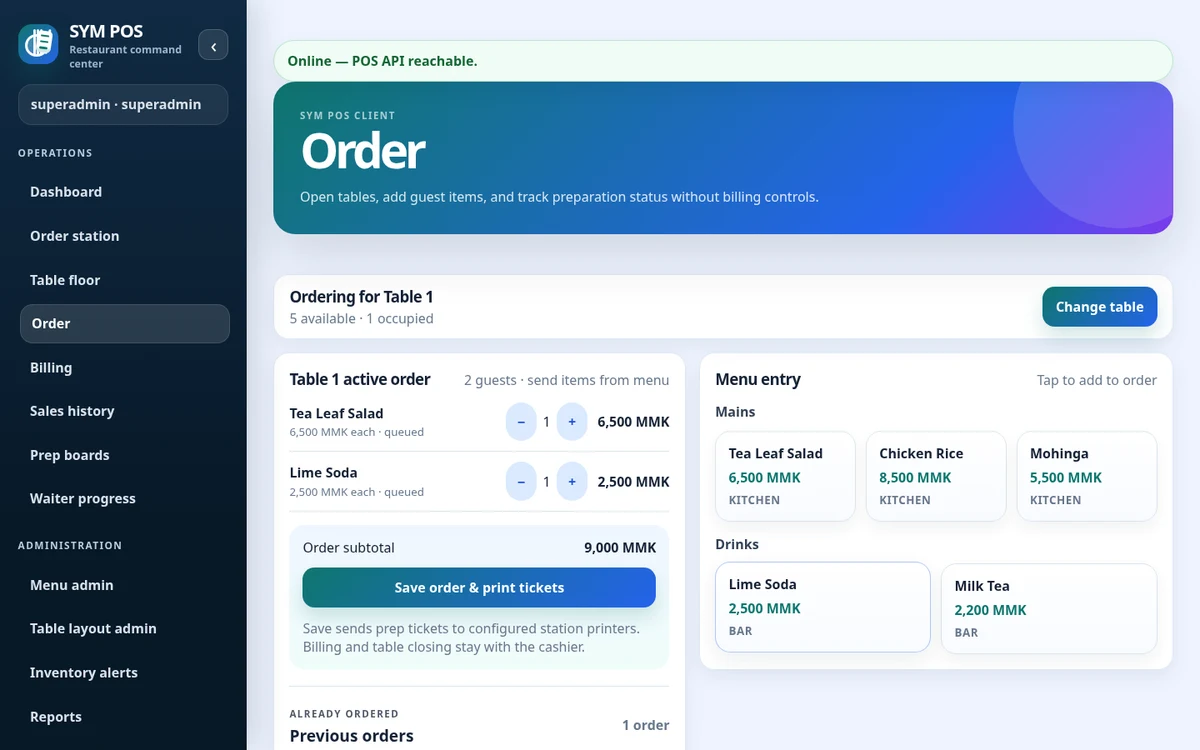
Actual Front of house product screen
Actual product screen · Sample evaluation dataOpen full-size

Kitchen & bar

Keep preparation teams in sync

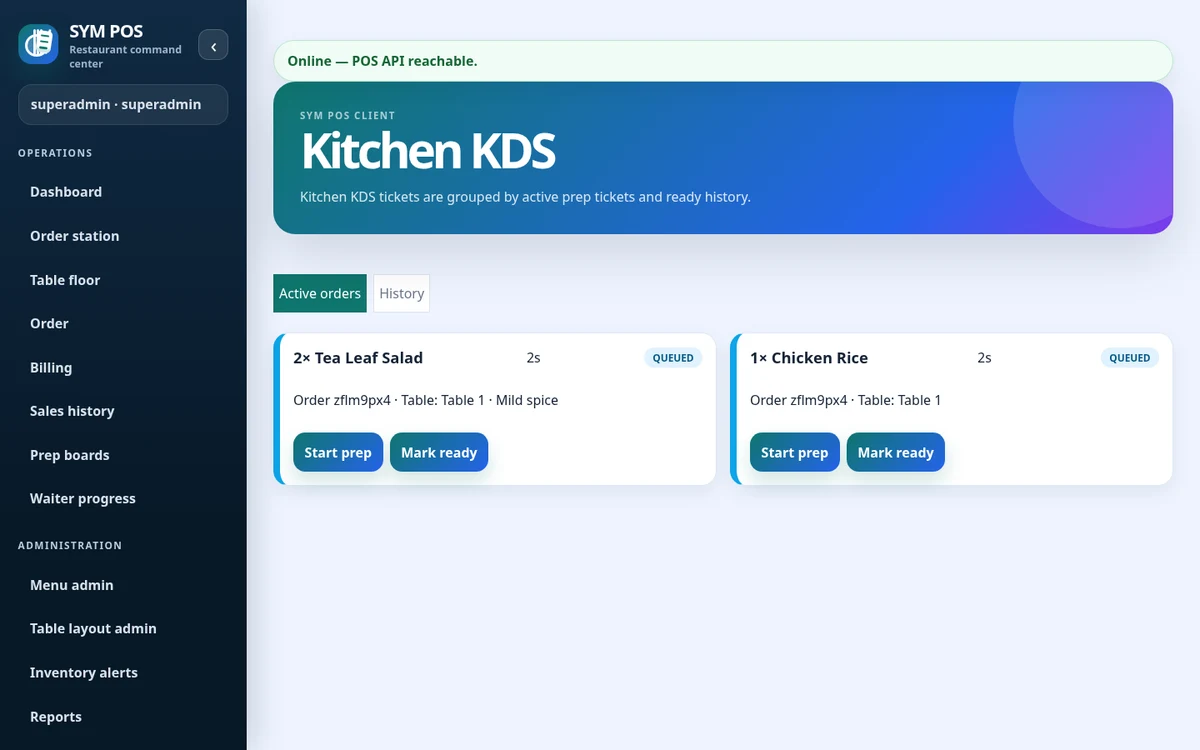
Separate kitchen and bar queues show item notes and preparation progress. Move items to preparing or ready, with station printing where configured.

Menu station assignments determine where preparation items appear. Kitchen and bar operators update item-level progress, while the floor can review the same preparation state. Active work and ready history have separate views.

  • Kitchen and bar station queues
  • Queued, preparing and ready progress
  • Configured preparation-ticket printing
SYM POS · Product preview
Actual Kitchen & bar product screen
Actual product screen · Sample evaluation dataOpen full-size

Billing & payments

Billing built for real service

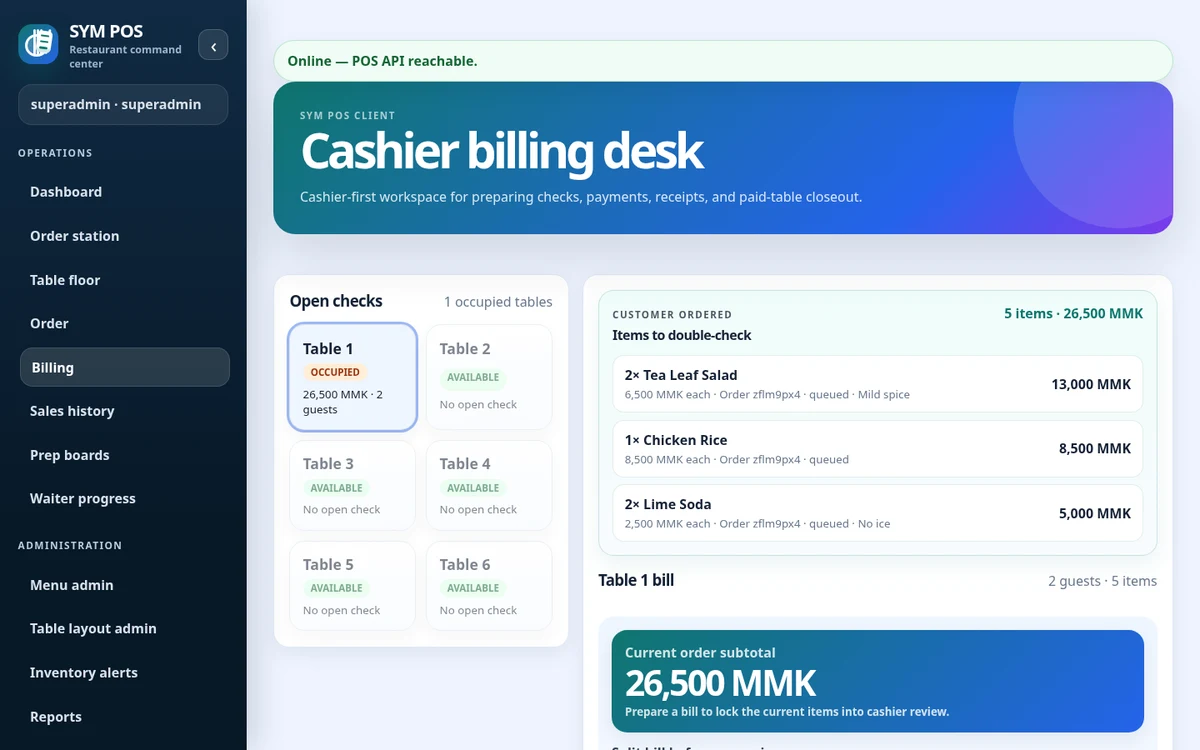
Generate bills, split payments, apply discounts and configurable taxes, record payments, settle debt and print receipts. Payment recording does not imply an integrated payment gateway.

Review the bill calculation, handle supported splits and apply configured tax and discounts. Record collection, settle outstanding debt where authorized and review a receipt before closing a paid table. Payment recording is separate from third-party gateway processing.

  • Bill generation and supported splits
  • Discounts, configurable tax and debt settlement
  • Payment recording, receipts and configured printing
SYM POS · Product preview
Actual Billing & payments product screen
Actual product screen · Sample evaluation dataOpen full-size

Inventory

Know what’s moving behind the counter

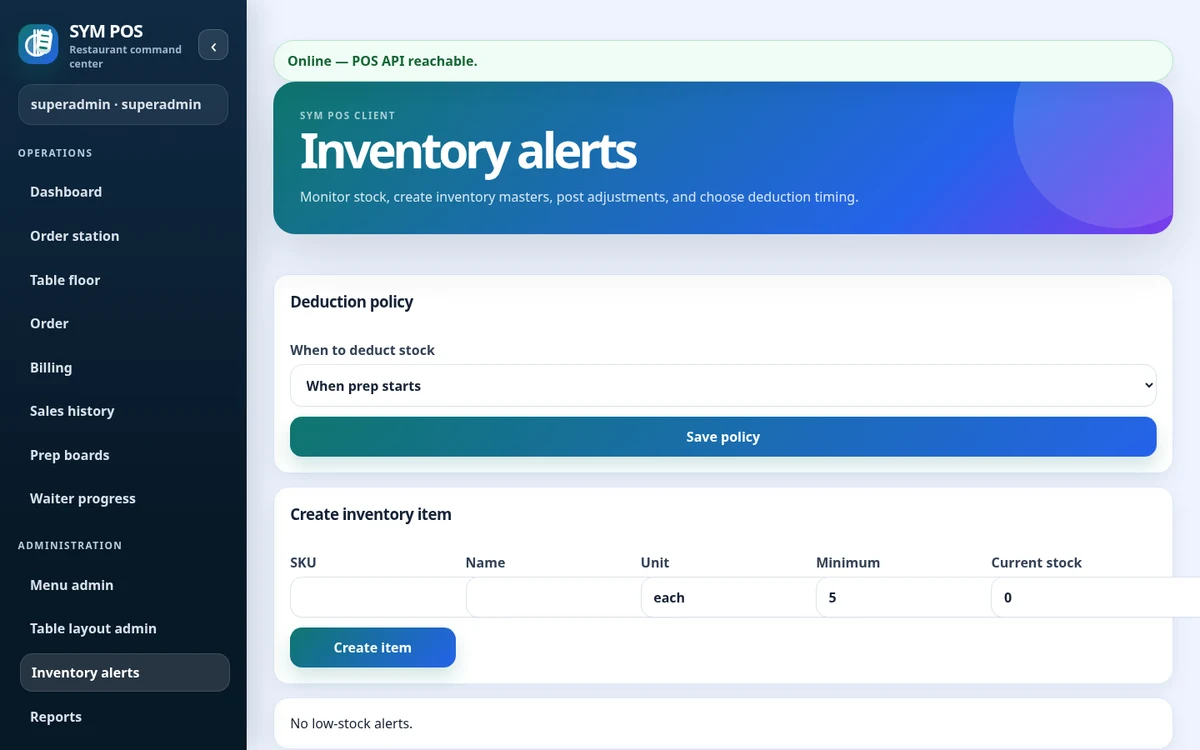
Track inventory records, stock movements and low-stock thresholds. Optional menu-to-inventory links connect configured items to stock usage.

Inventory masters and movement records help staff follow the stock they maintain. Define consistent units, review low-stock thresholds and configure optional recipe links deliberately before relying on automatic deductions.

  • Inventory records, units and stock movements
  • Configured low-stock thresholds
  • Optional menu-to-inventory mappings
SYM POS · Product preview
Actual Inventory product screen
Actual product screen · Sample evaluation dataOpen full-size

Management & reports

See the shift. Understand the day.

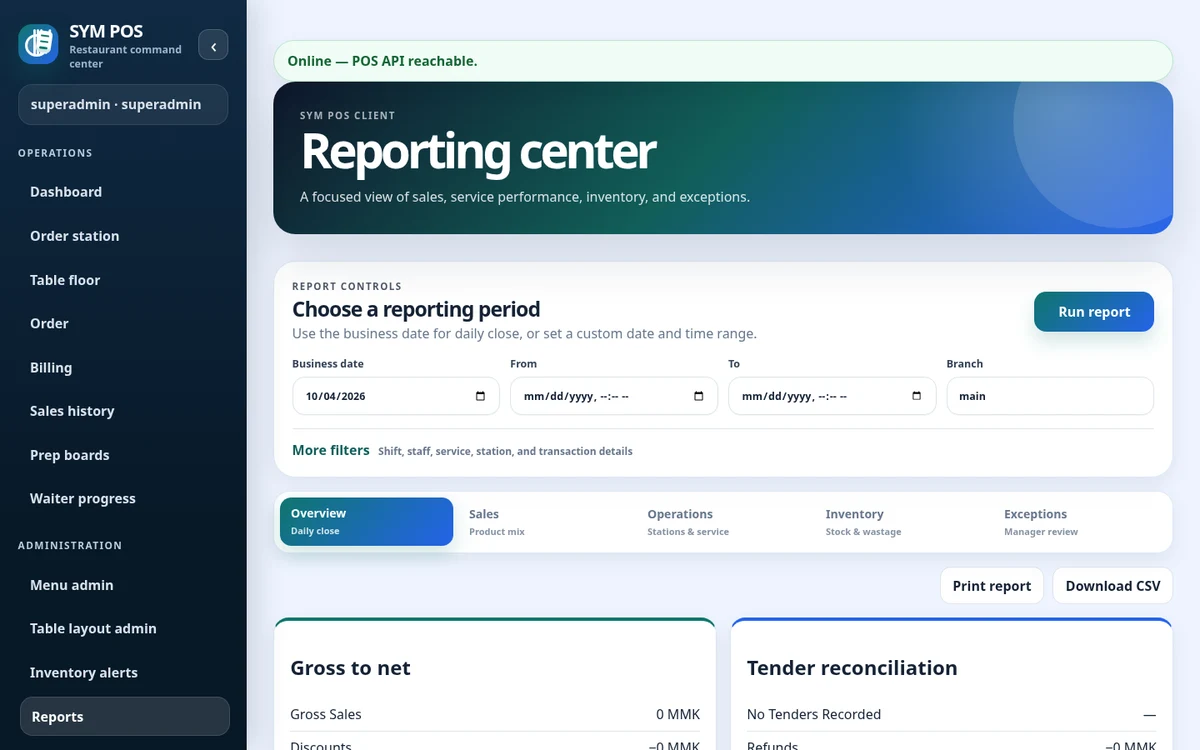
Review business-day summaries, product mix, station activity and exception reports. Export report data to CSV or prepare a print view.

Choose a reporting period in the configured restaurant timezone. Review daily summaries, product mix, station activity and operational exceptions. Download supported reports as CSV or use a printable view for a management discussion.

  • Daily and business-day reporting context
  • Item/category and station views
  • Permission-gated CSV and print tools
SYM POS · Product preview
Actual Management & reports product screen
Actual product screen · Sample evaluation dataOpen full-size

PLATFORM

A shared local foundation

Browser workspaces, PostgreSQL persistence, English/Myanmar resources, permission-based access and audit history. Optional bidirectional cloud menu synchronization is available where configured.

RESTAURANT LOCAL NETWORK
CashierBrowser
WaitstaffBrowser
KitchenBrowser
BarBrowser
ManagerBrowser
Local SYM POS serverNode.js application + PostgreSQL

Core workflows stay on your LAN

Optional cloud connectionCurrent bidirectional scope: menu data
OPTIONAL

Restaurants

Table service from order capture through preparation and billing.

Explore solution

Multi-location

Location-specific deployments and scoped menu synchronization.

Explore solution

THE PEOPLE AND CONFIGURATION BEHIND SERVICE

Give the team a workspace that fits their role

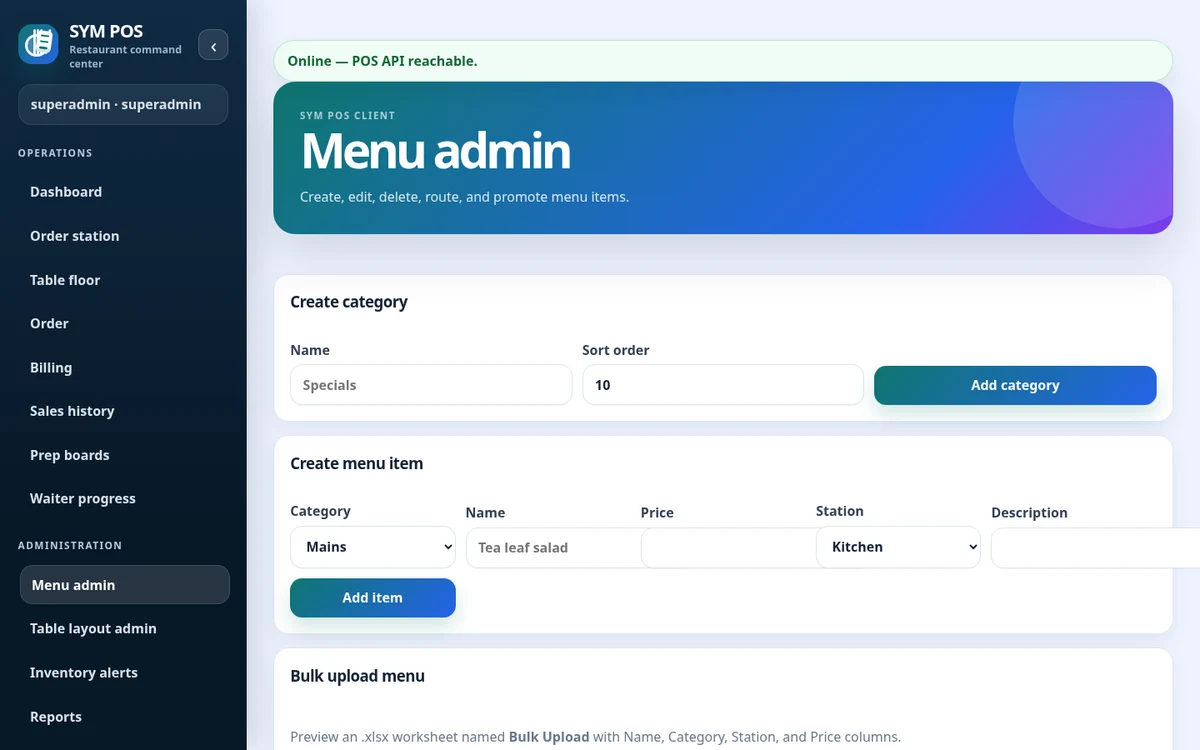
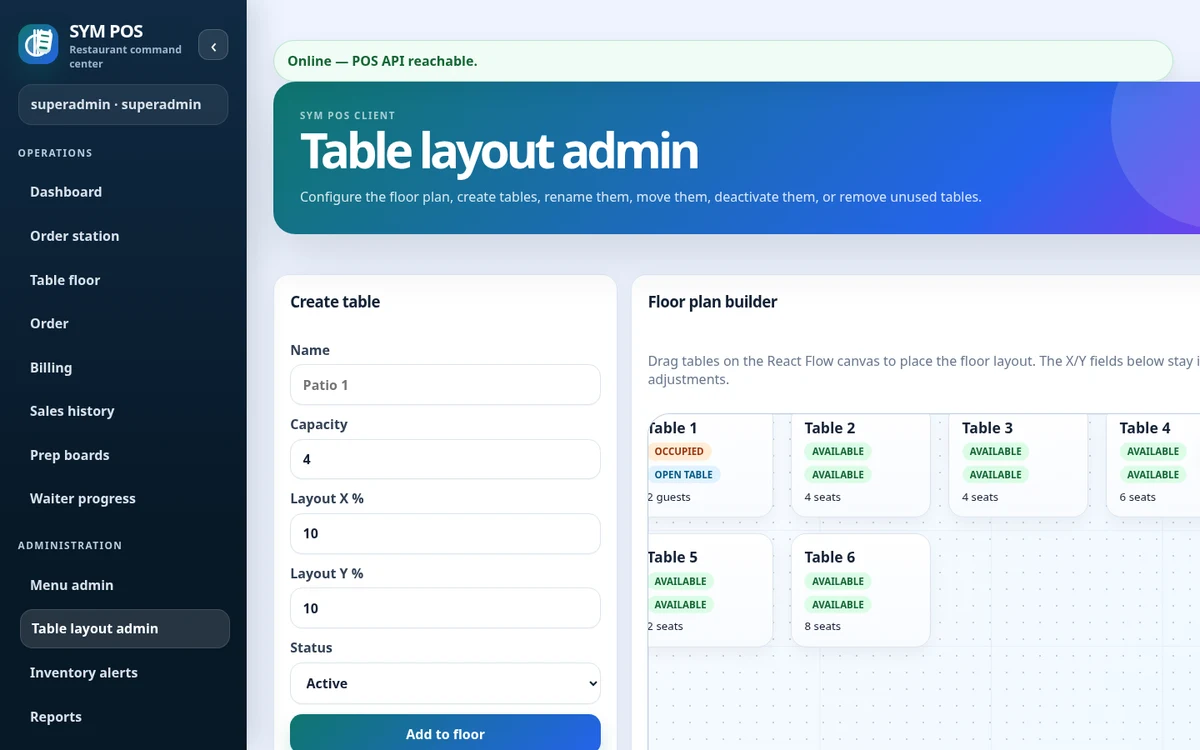
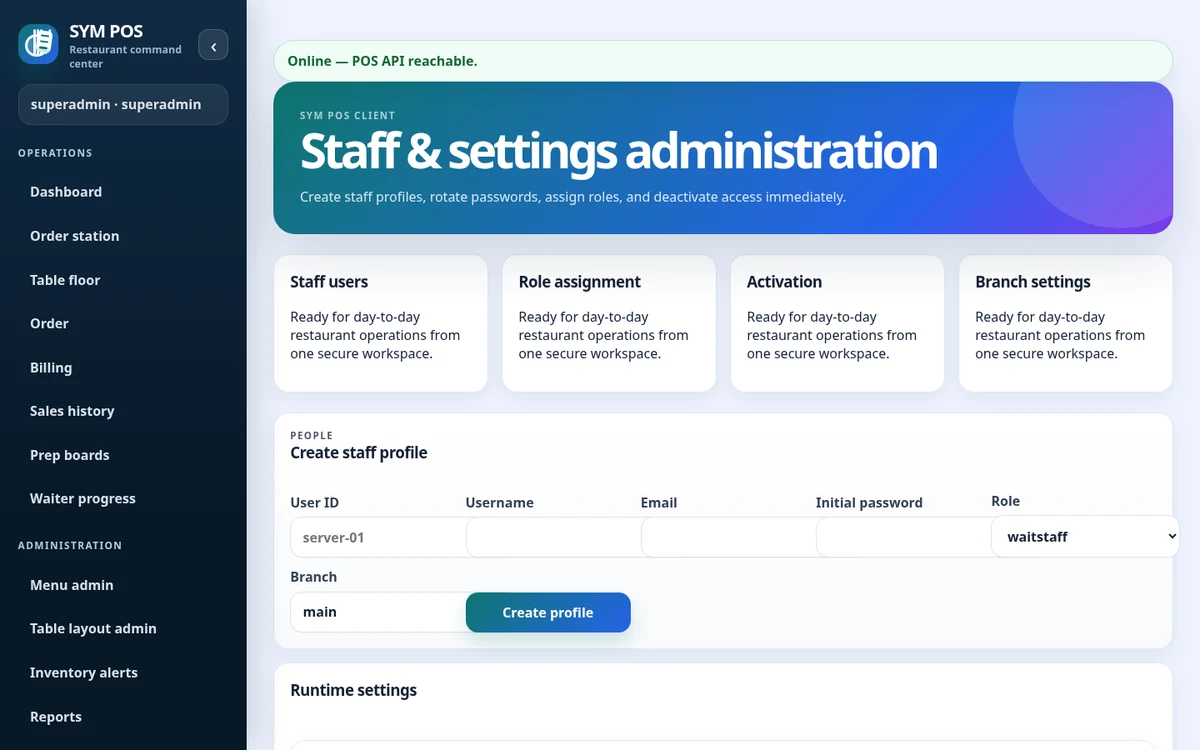
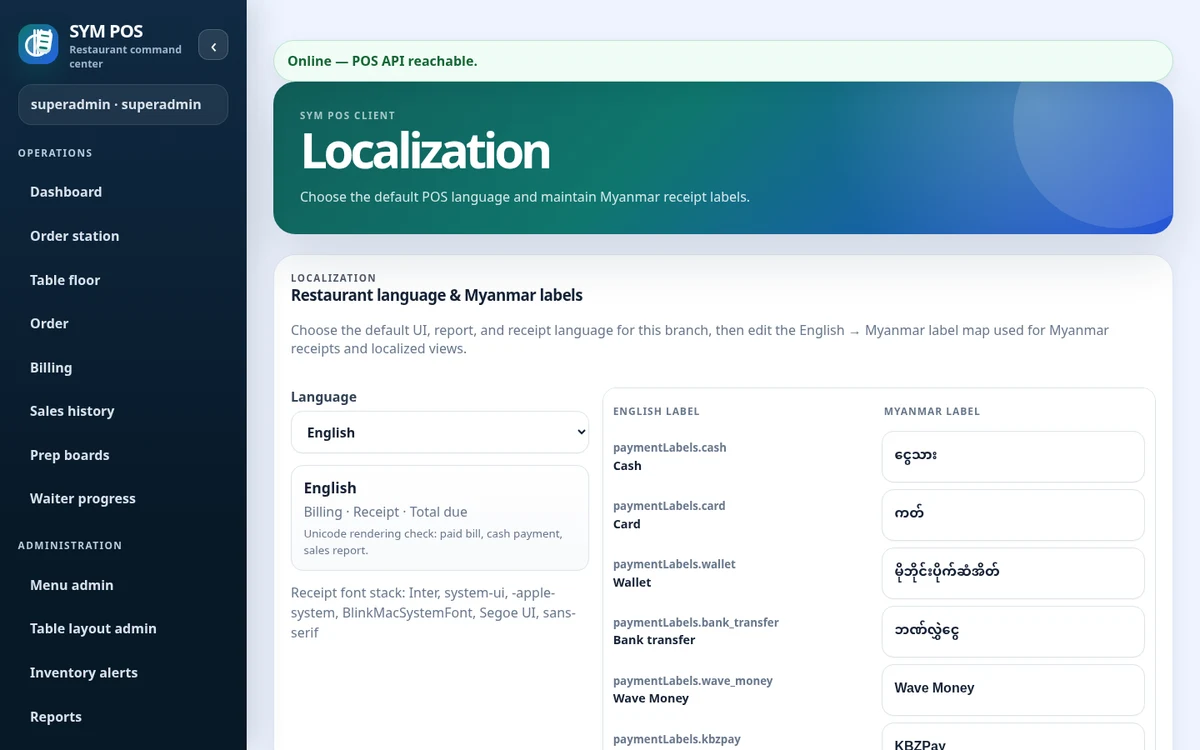
Restaurant operation also depends on the floor layout, account permissions and the labels staff read each day. Explore these actual administration screens alongside the operational features.

Manage the restaurant floor

SYM POS · Product preview
SYM POS manage the restaurant floor with synthetic evaluation data
Actual product screen · Sample evaluation dataOpen full-size

Maintain the table concepts used by front-of-house ordering and service.

Named users and assigned roles

SYM POS · Product preview
SYM POS named users and assigned roles with synthetic evaluation data
Actual product screen · Sample evaluation dataOpen full-size

Create individual staff accounts and control active access with implemented permissions.

English and Myanmar configuration

SYM POS · Product preview
SYM POS english and myanmar configuration with synthetic evaluation data
Actual product screen · Sample evaluation dataOpen full-size

Review branch language and editable label mappings; test receipt glyphs on your selected printer.

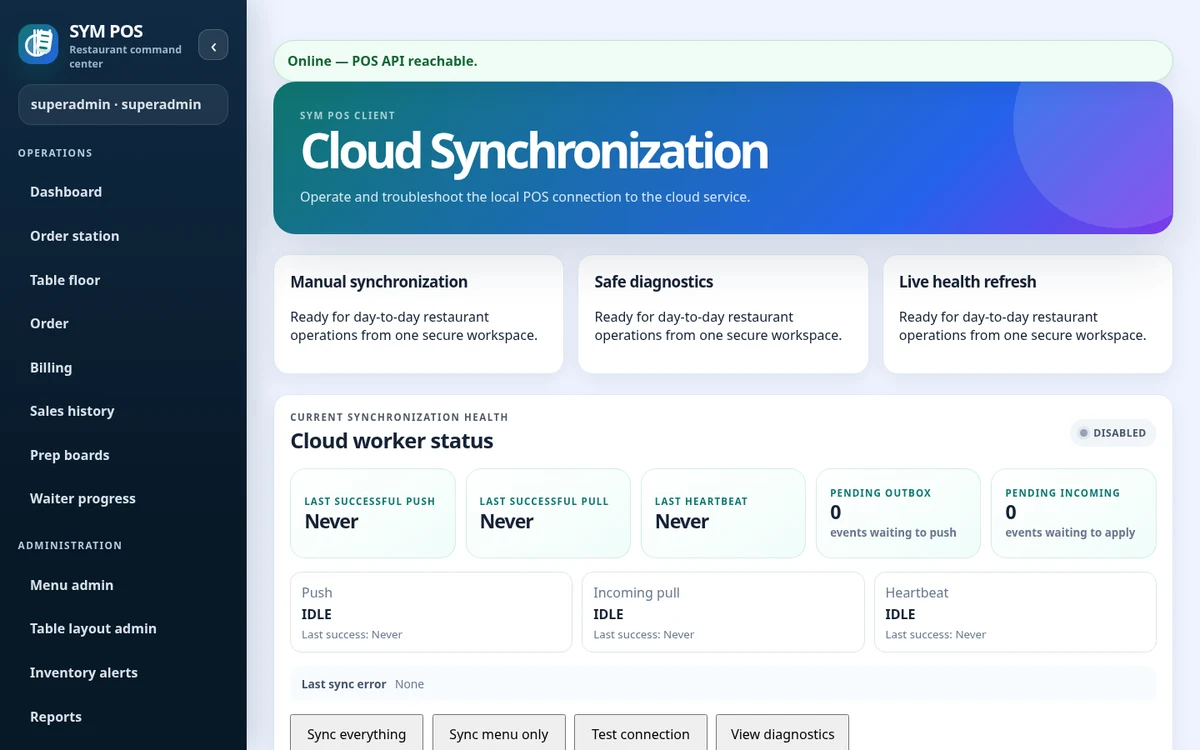
Optional cloud menu connection

SYM POS · Product preview
SYM POS optional cloud menu connection with synthetic evaluation data
Actual product screen · Sample evaluation dataOpen full-size

Review synchronization settings and diagnostics. This evaluation screenshot shows an unconnected setup, not an active production link.

OPEN SOURCE. BUILT IN THE OPEN.

A restaurant platform you can explore, run and help improve.

SYM POS is an open-source restaurant operations project. Explore the implementation, follow its development and use the documentation to evaluate a local installation. If it’s useful to you, give the project a star on GitHub.

CUSTOM SUPPORT, WHEN YOU NEED IT

Open source software. Help tailored to your restaurant.

Start with the code and documentation. If you need help deploying, configuring or adapting SYM POS, contact us with your requirements. Support and custom development are discussed separately from the open-source project.

Installation & deployment

Discuss local server setup, PostgreSQL persistence, browser stations, network access and backup planning.

Workflow configuration

Get help planning tables, menu structure, preparation stations, permissions and receipt settings.

Hardware & localization

Discuss your printer transports, display devices and English/Myanmar font and label requirements.

Custom development

Describe a workflow change or integration you need. We can discuss feasibility and agree a scope before work begins.

Discuss custom support

OPEN SOURCE FOR RESTAURANT OPERATIONS

Explore the project.
Build your restaurant’s next chapter.

Start with the source and documentation. Contact us for help with a local installation, workflow configuration or custom development.