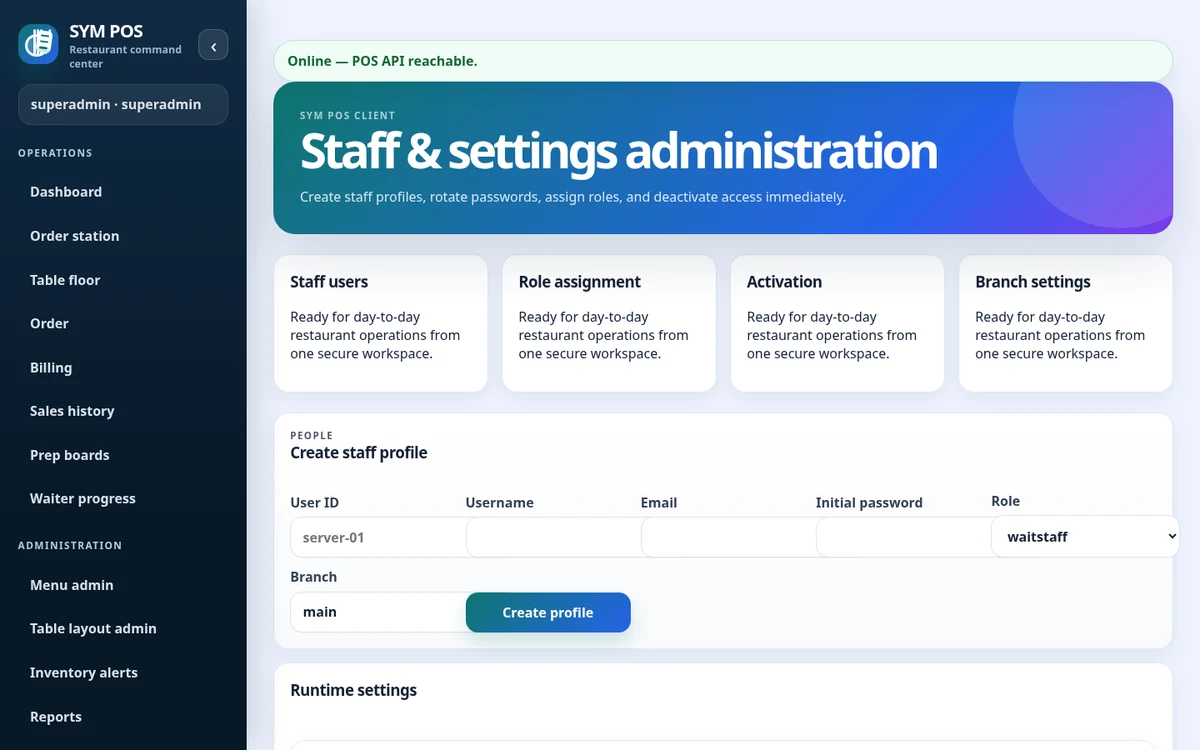
Passwords are PBKDF2-hashed before storage. Session tokens are stored as hashes, and session lifetime is configurable. Inactive users cannot authenticate; deactivation also invalidates authenticated access.
Give staff individual accounts so access and supported audit events have a useful actor identity. Change bootstrap access before opening the installation to production use, and deactivate accounts that should no longer be available.
PBKDF2 password hashing
Hashed, revocable session tokens
Account status checked during authentication
SYM POS · Product preview
Actual SYM POS screen · Sample evaluation dataOpen full-size
02 — ACCESS & ACCOUNTABILITY
Roles grounded in restaurant work
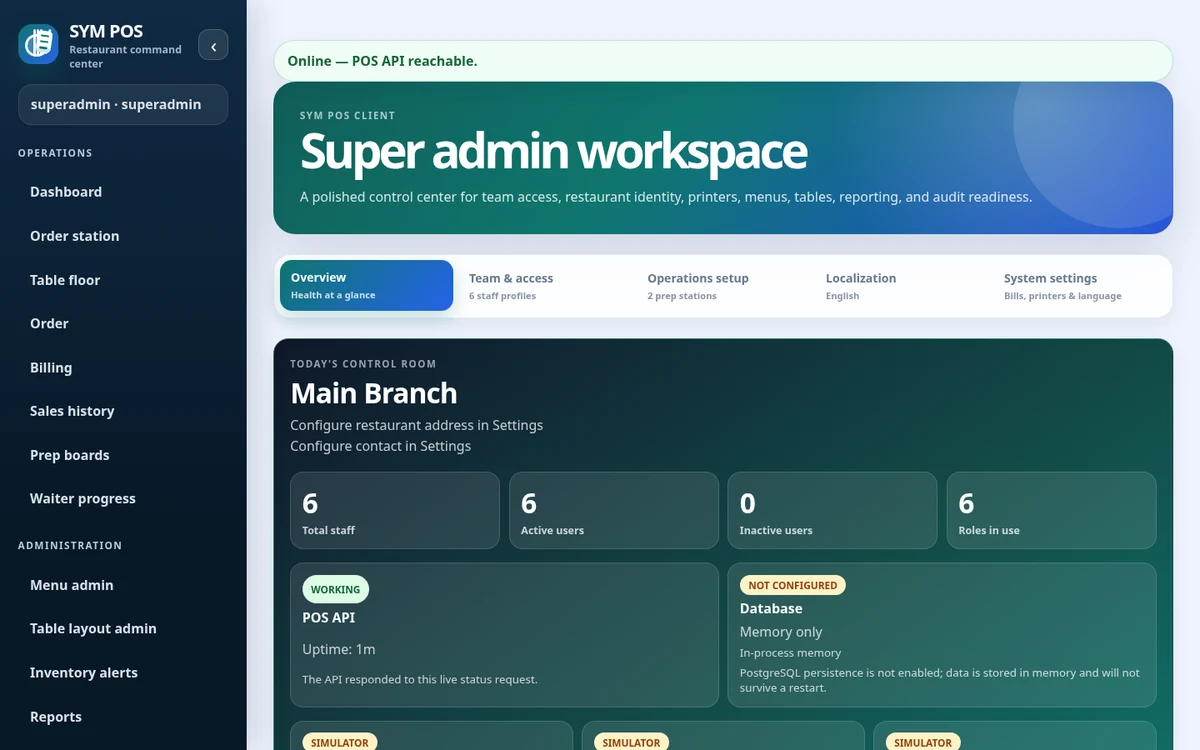
Implemented operational roles include waitstaff, cashier, kitchen, bar, shift_lead, inventory_clerk, manager, admin and superadmin. Specialized report permissions also support financial_analyst, operations_analyst, loss_prevention and inventory_accountant. Protected API checks and role-aware navigation govern access.
Front-of-house and preparation roles have different responsibilities. Waitstaff capture orders and review bills; cashier permissions cover collection and closeout. Kitchen and bar roles update preparation progress. Managers and administrators receive broader operational permissions.
Named operational roles with server checks
Multiple-role access where configured
Separate reporting and administrative capabilities
SYM POS · Product preview
Actual SYM POS screen · Sample evaluation dataOpen full-size
03 — ACCESS & ACCOUNTABILITY
Know what changed and when
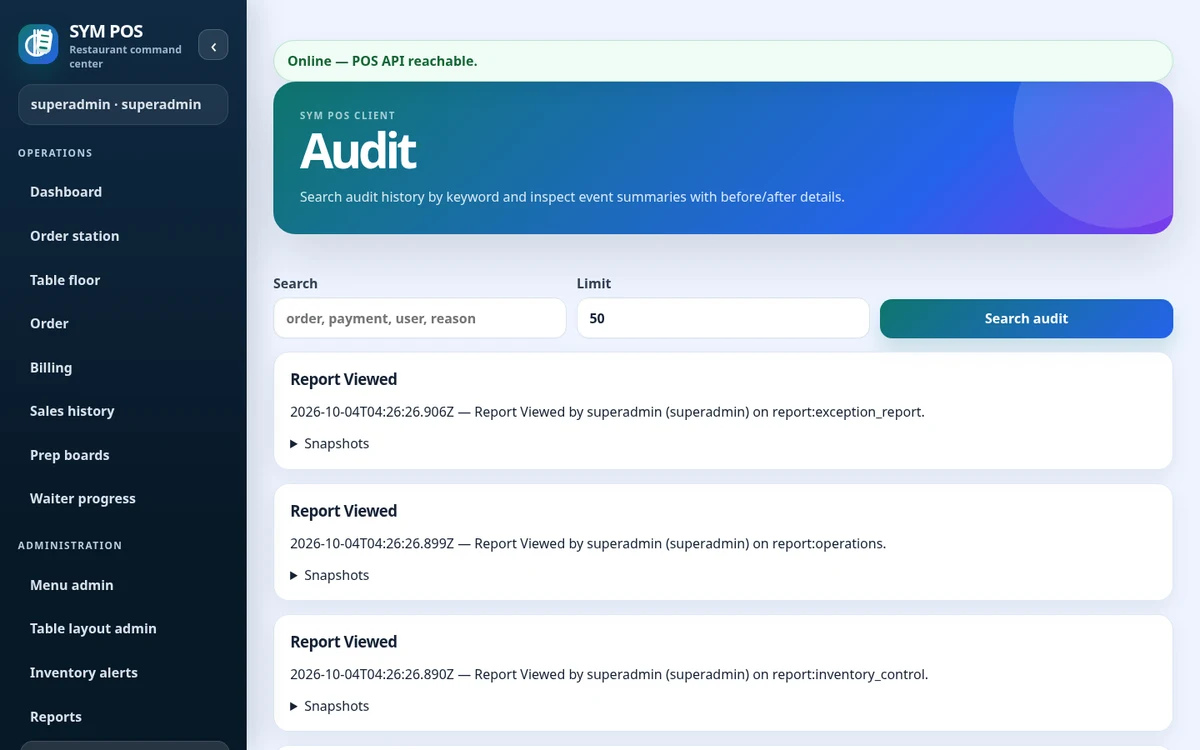
Audit records associate supported sensitive operations with actors and context. Use the audit viewer for operational traceability and troubleshooting. The website does not claim immutable logs or independent security certification.
The audit viewer helps investigate what happened around a supported operation. Read the actor, action and available context alongside the restaurant records; an audit entry is useful evidence, not a promise of immutable storage.
Supported administrative and operational events
Actor and contextual details
Audit viewing restricted to authorized accounts
SYM POS · Product preview
Actual SYM POS screen · Sample evaluation dataOpen full-size
04 — ACCESS & ACCOUNTABILITY
Secure deployment still matters
Application controls work alongside operating-system configuration, database security, network segmentation, firewall rules, TLS at the reverse proxy, backups and operational practices. Rotate bootstrap access and use named staff accounts.
Keep your own infrastructure practices aligned with the application’s controls. Restrict database and server access, use secure reverse-proxy configuration where appropriate and decide who is responsible for updates and recovery.
Review firewall and network segmentation
Use least-privilege database access
Maintain tested backups and named operator access
Try the workflow with your own setup in mind.
Explore the source and product guide, then evaluate with sample data before planning production use. If you need help with installation, configuration or a custom workflow, contact us with your restaurant and device requirements.
A restaurant platform you can explore, run and help improve.
SYM POS is an open-source restaurant operations project. Explore the implementation, follow its development and use the documentation to evaluate a local installation. If it’s useful to you, give the project a star on GitHub.