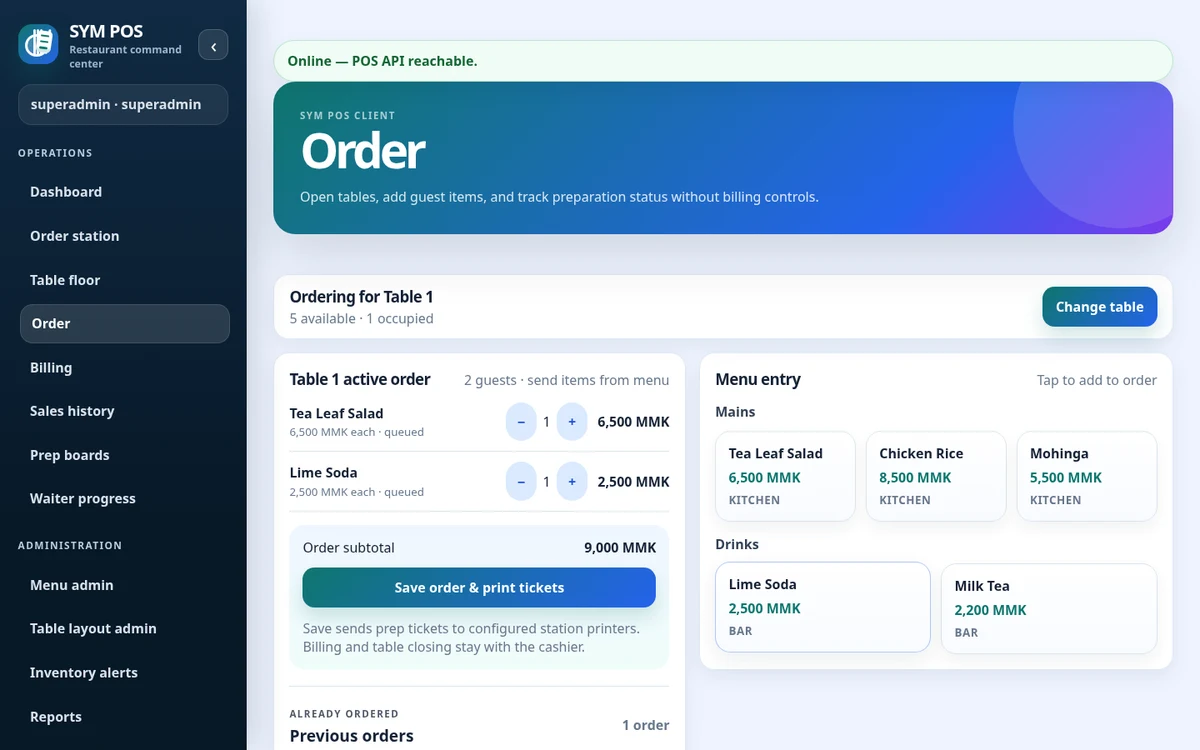
Cashier order entry supports menu selection, quantities, notes and takeout orders. Preparation station assignments connect relevant drinks and food to kitchen or bar queues.
A counter workflow can use the existing takeout order mode as well as table sessions. Use menu categories and availability controls to keep order entry organized for the items your cafe actually serves.
Counter and takeout order workflows
Menu quantities and notes
Food and drink preparation station assignments
SYM POS · Product preview
Actual SYM POS screen · Sample evaluation dataOpen full-size
02 — FOR CAFES & COUNTER SERVICE
Close the bill and print the receipt
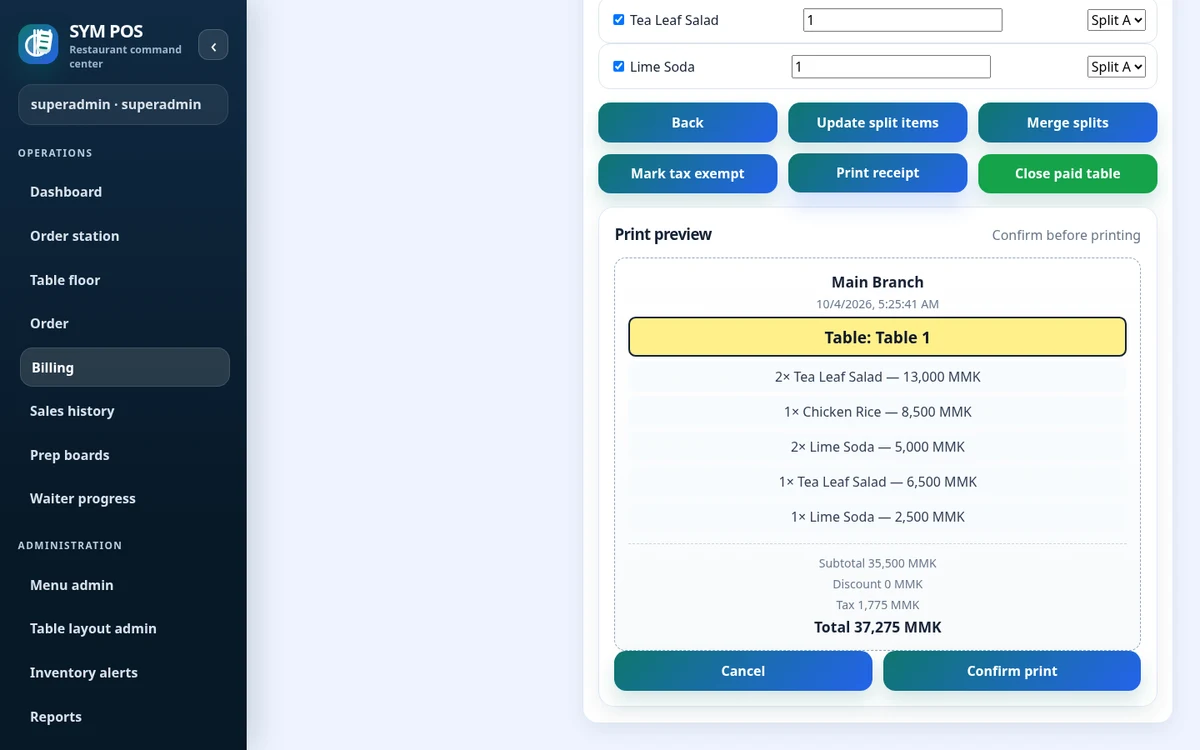
Generate bills and record payment with configured taxes and discounts. Receipt printing uses the server’s configured transport; gateway integration is not implied by payment recording.
Check the guest’s selection before generating the bill, then record payment using the supported billing workflow. Separate payment recording from any external card terminal process your cafe operates.
Configured discounts and taxes
Payment collection recorded in the bill
Receipt generation and server-side printing
SYM POS · Product preview
Actual SYM POS screen · Sample evaluation dataOpen full-size
03 — FOR CAFES & COUNTER SERVICE
Manage the menu behind service
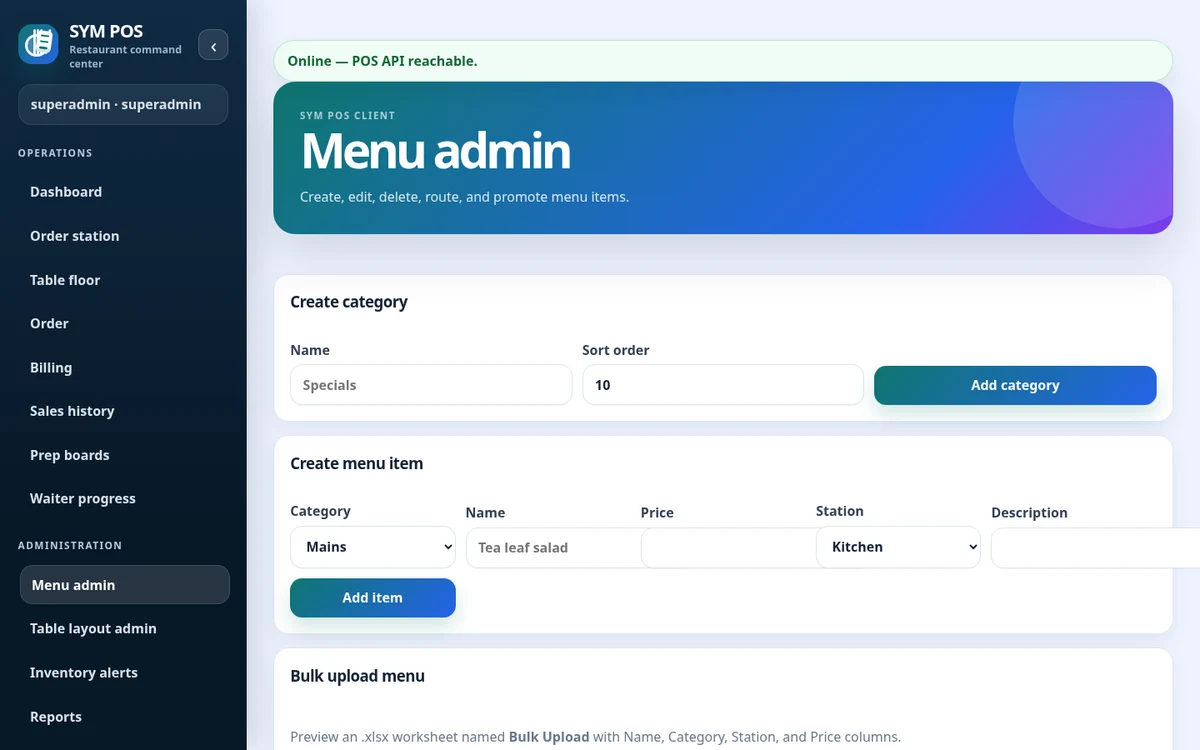
Update menu items, categories, availability and prices. Use validated Excel import for existing menu data, then review inventory movements and supported daily reports.
Make a price or availability change in menu administration and review its effect on the ordering screen. For an existing catalog, validate an Excel workbook and inspect the proposed changes before confirming the import.
Items, categories and availability
Prices and preparation stations
Validated transactional Excel import
SYM POS · Product preview
Actual SYM POS screen · Sample evaluation dataOpen full-size
04 — FOR CAFES & COUNTER SERVICE
See the counter and back office together
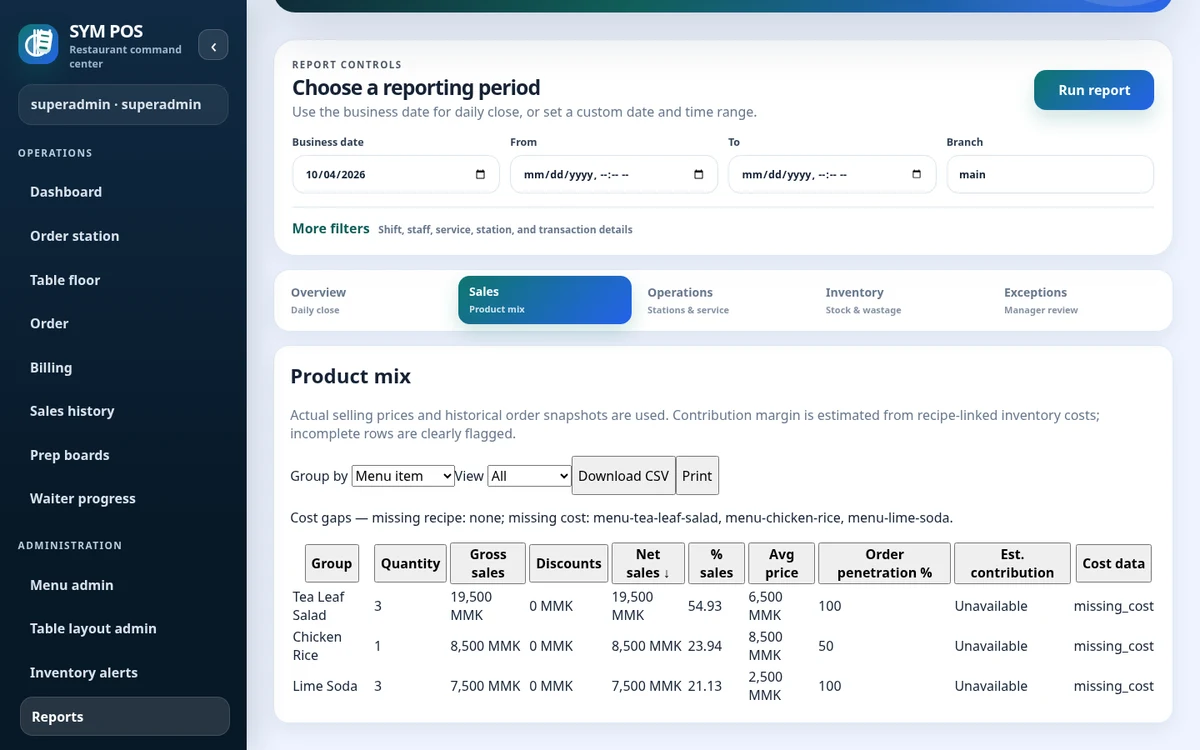
Inventory movements and low-stock visibility help staff follow the items behind the counter. Daily summaries and product mix give managers a view of recorded activity without introducing a separate cafe-only feature set.
Recorded stock movement
Low-stock threshold review
Daily and item/category reporting
SYM POS · Product preview
Actual SYM POS screen · Sample evaluation dataOpen full-size
Try the workflow with your own setup in mind.
Explore the source and product guide, then evaluate with sample data before planning production use. If you need help with installation, configuration or a custom workflow, contact us with your restaurant and device requirements.
A restaurant platform you can explore, run and help improve.
SYM POS is an open-source restaurant operations project. Explore the implementation, follow its development and use the documentation to evaluate a local installation. If it’s useful to you, give the project a star on GitHub.